Silt
A disk cleaner that explains itself
Every file Silt offers to delete comes with a plain explanation of what it is and what you lose. Nothing goes anywhere until you say so.
macOS 14 or newer · No subscription · No account
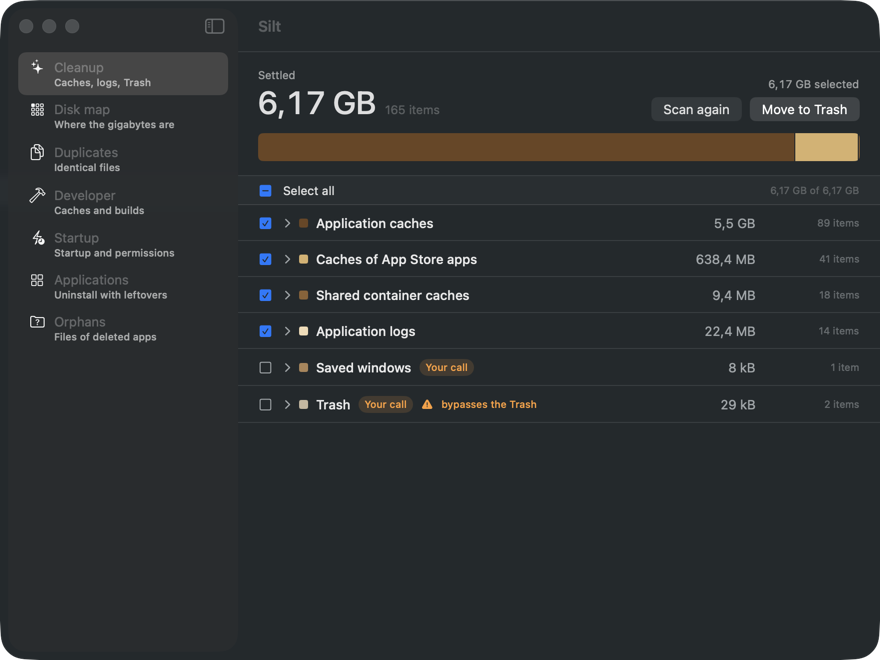
You see everything before anything happens
Silt scans, then stops and waits. It shows what it found, grouped and measured, and does nothing else. The button says “Move to Trash”, because that is exactly what it does.
“Safe to delete” is not an answer
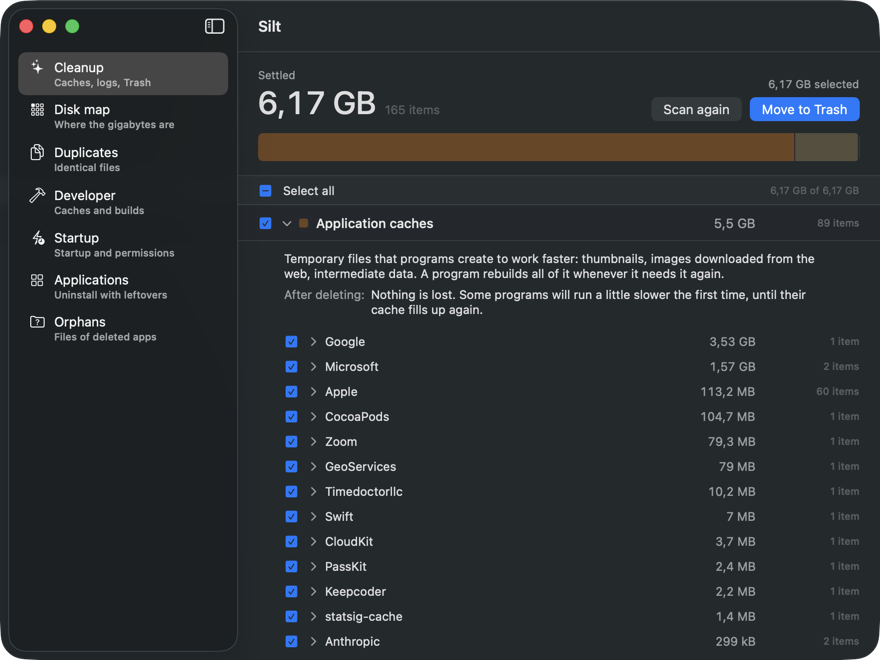
Open any group and Silt tells you what these files are, what happens once they are gone, and where they live on your disk. Not a reassuring label — a sentence you can judge for yourself.
Temporary files that programs create to work faster: thumbnails, images downloaded from the web, intermediate data. A program rebuilds all of it whenever it needs it again.
After deleting: Nothing is lost. Some programs will run a little slower the first time, until their cache fills up again.
Deleted means “in the Trash”
Everything Silt removes goes to your Trash, where you can drag it back. The few things that cannot — emptying the Trash itself — are marked before you touch them, not after.
Some places Silt will never touch
This is not a setting you can switch off by accident. The engine refuses, and there is no option to make it agree.
- Documents
- Desktop
- Photos
- Messages
- Keychains
- SSH keys
- Password stores
- Crypto wallets
- iCloud Drive
Uninstalling leaves things behind. Silt finds them.
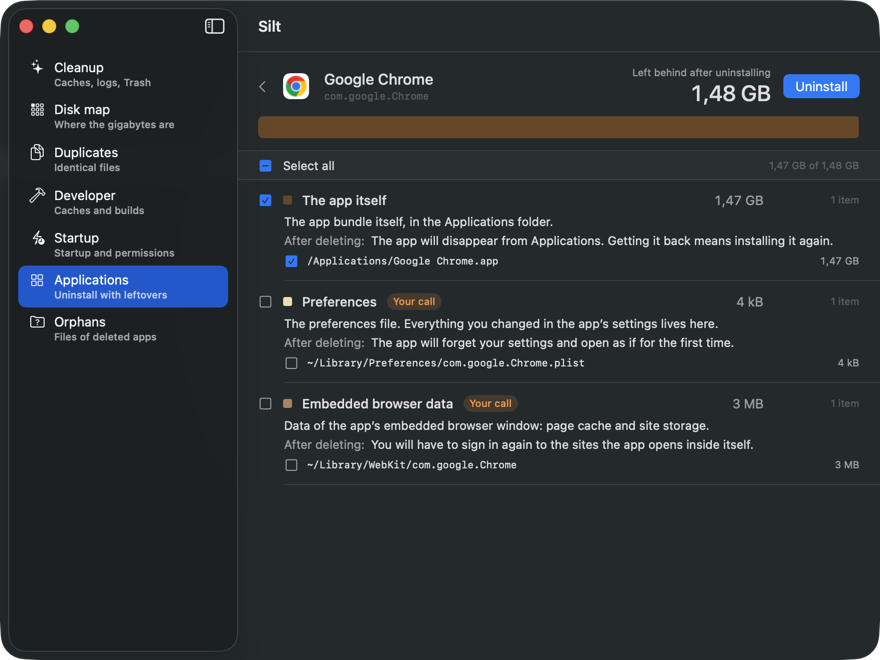
Drag an app to the Trash and its settings, caches, containers, saved windows and startup items stay where they were. Silt lists every one, with its path and what you lose by removing it — and leaves the risky ones unticked.
Where the gigabytes went
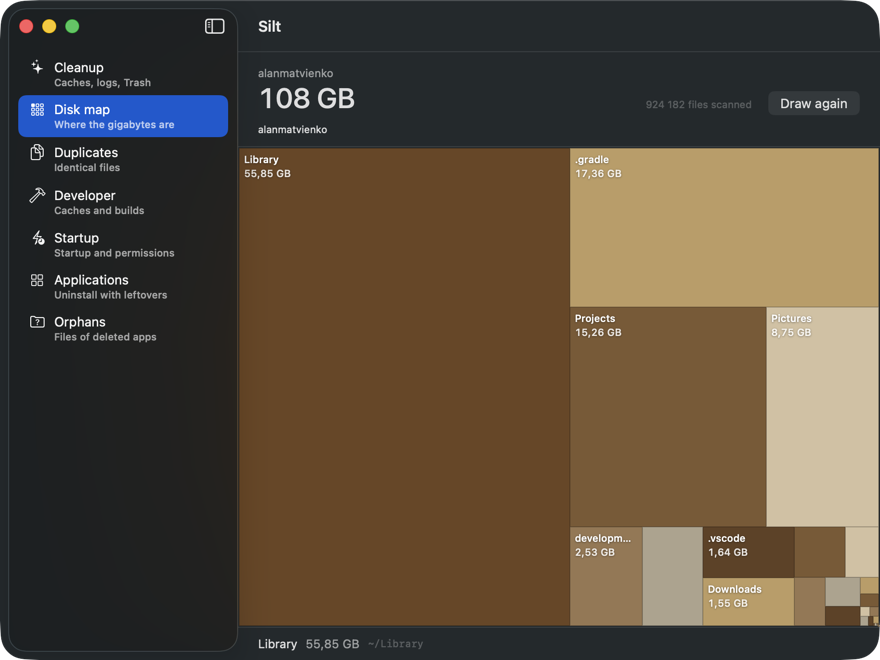
Silt walks your home folder and draws it as a map: the bigger the tile, the bigger the folder. The walk only reads. Nothing is deleted or changed.
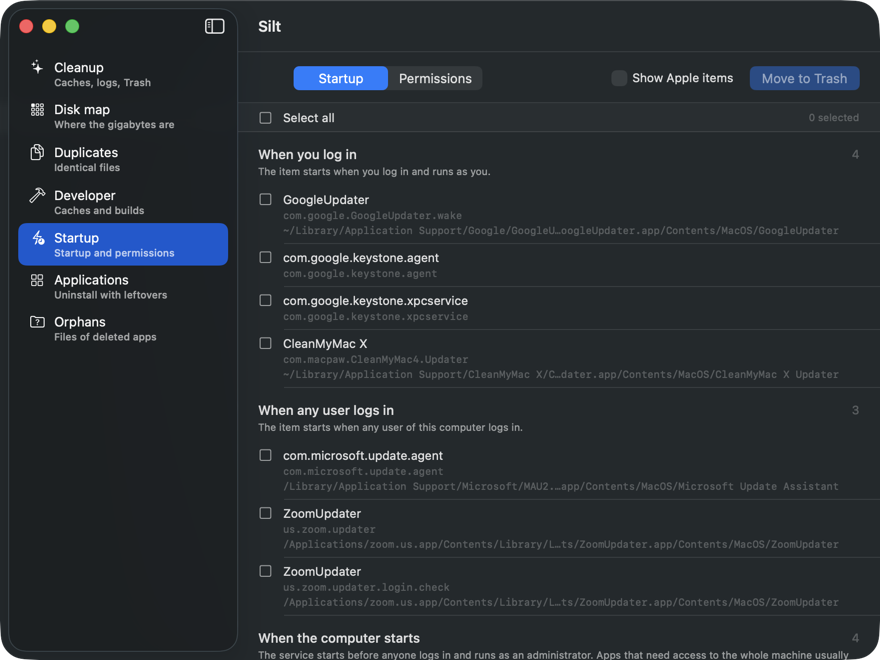
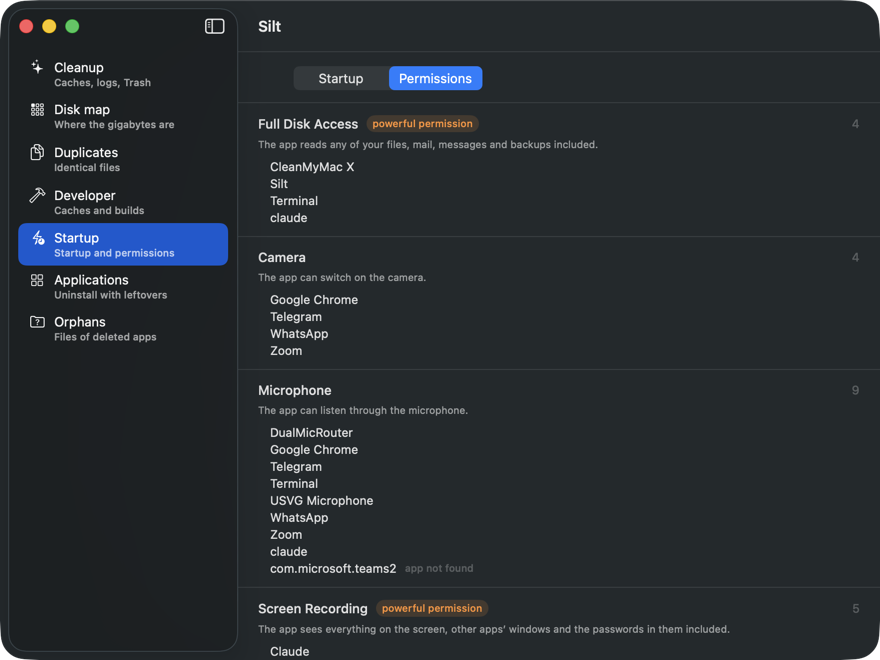
What starts by itself, and who is watching
Which programs launch without asking. Which ones can read your entire disk, switch on the camera, listen through the microphone, or see everything on your screen. Silt shows the list; what to do with it is your call.
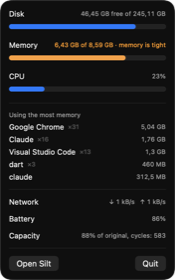
And a small one in the menu bar
Disk, memory and CPU at a glance, and which programs are eating the memory right now.
Things Silt does not do, on purpose
- No antivirus.We are not going to pretend that a disk cleaner protects you from malware. It doesn’t.
- No promises about speed.Deleting caches frees space. It does not make your Mac faster, and anyone who tells you otherwise is selling something.
- No telemetry.Silt sends nothing about you anywhere. Activating your licence sends the name of your Mac, once — and the app says so on screen before it does it.
- No subscription.Nineteen dollars. Once.
$19. Once. Yours.
Every future update included. Up to three Macs. Nothing to sign up for, no password to remember, no card on file.
Lost your key? Find it here
macOS 14 (Sonoma) or newer · Apple silicon and Intel
Silt — what settles on a disk over the years, all on its own.